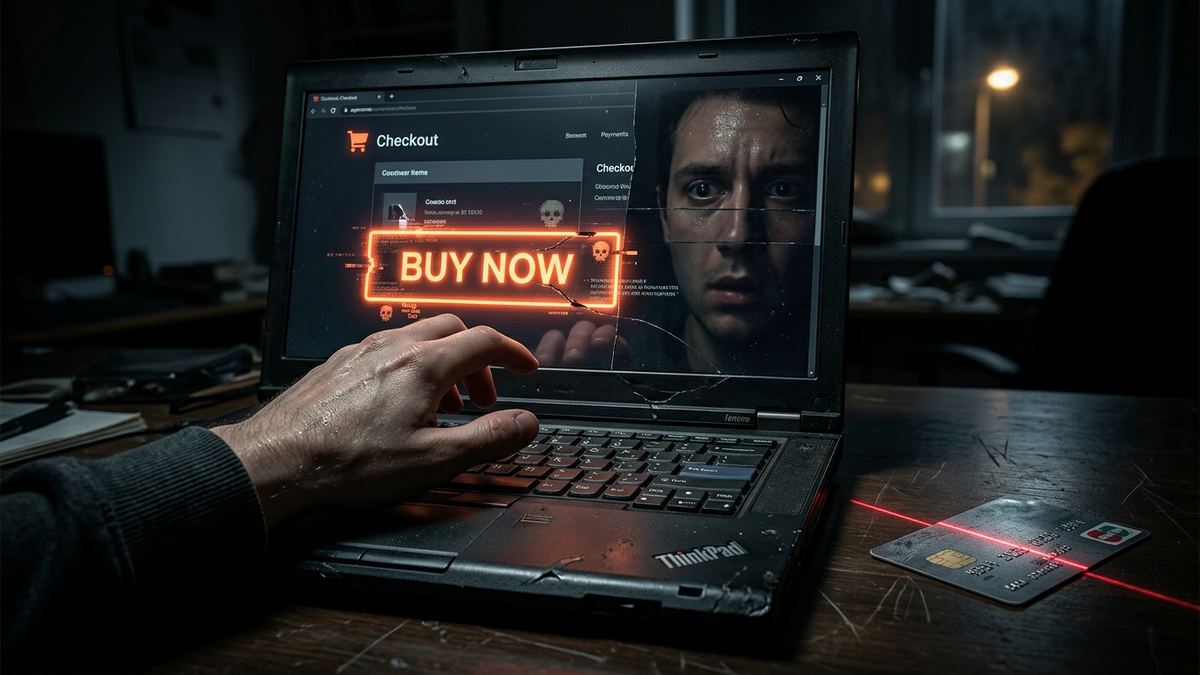
7 Red Flags of a Fraudulent E-commerce Site You Must Know
Quick Answer (TL;DR)
- Check the URL for HTTPS and typos. A legitimate site will have a padlock icon and a clean, recognizable domain name, not a weird variation like `Amason-deals.xyz`.
- If a deal seems too good to be true, it is. A brand new PlayStation 5 for $99 is not a sale; it's a trap to steal your money and data.
- Look for legitimate contact info and policies. Scammers hide behind generic email forms; real businesses have a physical address, a phone number, and clear return policies.
Introduction: Your Digital Street Smarts
Alright, let's cut the crap. For 15 years, I've been the guy cleaning up the digital wreckage after someone gets fleeced online. I’ve seen it all: life savings vanished, identities stolen, and a whole lot of heartbreak over a gadget that was never going to arrive. The internet isn't the Wild West anymore, but there are still plenty of digital bandits hiding in plain sight, and their favorite hunting ground is e-commerce.
They build fake storefronts that look slick and professional, preying on your excitement for a good deal. They aren't just after your $50; they're after your credit card number, your address, your full name—the keys to your kingdom. Thinking you're too smart to fall for it is the first mistake. These guys are pros at psychological manipulation.
This guide isn't a list of vague suggestions. This is a battle-hardened checklist forged from years in the trenches. I’m going to give you the exact red flags I look for. We're going to turn your paranoia into a finely tuned scam detection radar. Pay attention, because the five minutes you spend reading this will save you thousands of dollars and countless hours of misery.
Red Flag #1: The URL and Connection Are a Mess
Before you even look at a single product, look at the address bar in your browser. This is the single most important piece of real estate on the page, and it tells you a story. First, look for the padlock and "https." The 'S' stands for 'Secure' and means the data between your browser and the site is encrypted. Think of it as putting your credit card info into a sealed, armored envelope before handing it to the mailman. Without HTTPS, you're handing the mailman an open postcard with your numbers written on it for everyone to see.
But here's the part most people get wrong: HTTPS does not mean the site is legitimate. It only means the connection is secure. A world-class scammer can get an SSL certificate for their fraudulent site in about five minutes. So, while a *lack* of HTTPS is a deal-breaker, its *presence* isn't a green light. It's just the bare minimum, like a restaurant having running water. You wouldn't eat there without it, but it doesn't guarantee the food is good.
Next, read the actual domain name. Slowly. Out loud. Scammers live off of what we call 'typosquatting'. They register domains that are one or two characters off from a famous brand. You think you're on `Nike.com`, but you're actually on `Nlke.com` or `Nike-outlet.store`. They're counting on you to be in a hurry. Be brutally critical of the domain extension, too. While `.com` isn't a guarantee of safety, a major US retailer using a `.biz`, `.club`, `.top`, or `.xyz` domain is incredibly suspicious. These are cheap, often used by spammers, and a huge warning sign for a store supposedly selling high-value goods.
Finally, look at the structure of the URL. If it's a long string of gibberish with the brand name buried somewhere in the middle, like `rayban.sunglasses.cheap-dealz.xyz/checkout/u843hf`, you're on a scam site. Legitimate sites have clean, logical URL structures. Your gut feeling is a powerful tool here. If the address just *feels* wrong, close the tab. Don't let the promise of a cheap product override that instinct.
💡 Expert IT Tip: Use a WHOIS lookup service. Just search "WHOIS lookup" and enter the site's domain name (e.g., `example.com`). It will tell you who registered the domain and, most importantly, *when* it was registered. If a site claiming to be a major electronics retailer was just registered three weeks ago from a registrar in Panama, you have your answer. It's a scam. Close the tab and never look back.
Red Flag #2: Prices and Promises That Defy Logic
Let's be blunt: a brand new iPhone for $200 is a scam. A 75-inch OLED TV for $350 is a scam. A pair of new Air Jordans for $40 is a scam. There are no secret online outlets that get 90% discounts on current, in-demand products from major brands. It just doesn't happen. The global supply chain doesn't have a magic backdoor that only `Super-Duper-Gadget-Deals.biz` knows about. If a price seems too good to be true, it is. Every single time. No exceptions.
This is the oldest trick in the book because it works. Scammers aren't targeting your intellect; they're targeting your greed and your desire for a bargain. They create an offer so tantalizing that you willingly suspend your disbelief. You *want* it to be real, so you start making excuses. "Maybe it's a clearance sale," or "Perhaps it's a pricing error I can take advantage of." No. It's a calculated trap designed to make you act before you think. They are dangling a juicy worm, and your credit card is the fish they're trying to hook.
This tactic is almost always paired with high-pressure sales gimmicks. You'll see aggressive countdown timers: "Deal ends in 2:37!" If you refresh the page, that timer magically resets. You'll see fake scarcity notifications like "Only 3 left in stock! 17 people are viewing this right now!" This is pure psychological manipulation. It's designed to trigger your FOMO (Fear Of Missing Out) and rush you into making a purchase without doing your due diligence. They want to create a sense of panic so you don't have time to notice the other red flags we're talking about. A legitimate business uses sales and promotions, but they don't create a fake, high-pressure emergency for every single item on their site. If a website is trying to make you feel panicked about a purchase, it's not for your benefit; it's for theirs.
Think about the economics of it. A company has to buy the product, pay for staff, marketing, web hosting, and shipping, and still make a profit. That 90% discount isn't just unrealistic; it's a mathematical impossibility. The product you're seeing doesn't exist. It's just a JPEG image and a price tag designed to separate you from your money. The only thing they'll ship you is regret.
Red Flag #3: Terrible Design, Grammar, and Photos
Think about the websites you trust—Amazon, Target, Best Buy. They have spent millions of dollars on user experience, professional photography, and branding. Their websites are fast, clean, and consistent. Now, look at the site you're questioning. Is it a chaotic mess of different fonts, colors, and layouts? Does it look like it was built in 1998? This is a massive red flag.
Professional companies invest in their online presence because it's a reflection of their brand. Scammers, on the other hand, are running a churn-and-burn operation. They use cheap, generic templates to spit out new fraudulent sites as soon as the old ones get shut down. They don't have the time, budget, or incentive to make it perfect. They just need it to be good enough to fool someone in a hurry. Look for pixelated logos, stretched or blurry product images, and an overall clunky, unprofessional feel. Often, the images are stolen directly from legitimate sites, so you might see watermarks that don't match the site's name.
The biggest giveaway, however, is the language. Read the product descriptions, the "About Us" page, and the FAQ. Is it filled with spelling mistakes, bizarre grammatical constructions, and awkward phrasing? This is a classic sign of a site run from a non-English-speaking country using cheap translation software. A sentence like, "Our shoe is make of finest leather for happy walking of you" is not from a legitimate American or British retailer. Legitimate companies have copywriters and editors. Scammers have Google Translate. Don't ignore these errors. They are screaming that the person who wrote them doesn't know the language and, more importantly, doesn't care enough to get it right. They're betting you won't care either.
Drill down into the "About Us" page. This is often a goldmine of fraud indicators. Scammers know they need one, but they put zero effort into it. You'll find a rambling, generic story about "passion for customers" and "providing the best value" that is completely devoid of any real detail. There will be no mention of the company's history, its founders, or its physical location. It's just meaningless corporate word salad, often copied and pasted from other scam sites. A real company has a real story. A fake one has a template.
Red Flag #4: Ghostly Contact Details and Phantom Policies
A legitimate business is not afraid of its customers. It provides multiple, clear ways to get in touch for support, returns, and questions. A scammer, by definition, wants to take your money and disappear. Their "Contact Us" page is one of the easiest places to spot the fraud. If the only way to contact the company is through a generic web form or a single, non-descript email address (like `support@cheapest-gadgets.shop`), you should be on high alert.
Where is the physical address? Any real retail business has a headquarters or a registered office. If there is no address listed anywhere on the site, assume it's a scam. If they do list an address, your job isn't done. Copy that address and paste it into Google Maps. Does it lead to an actual office building or storefront? Or does it point to a residential house, an empty field, or a mail-forwarding service in a strip mall? I've seen addresses that, when checked on Street View, were literally a different, unrelated business. They just copied the address of a random dentist's office, hoping no one would check.
Secure your digital wealth with the world's most trusted hardware wallets.
GET YOUR WALLET NOWWhat about a phone number? The lack of a phone number is a huge warning. It's the most direct way to contact a company, and it's something scammers desperately want to avoid. If there is a number, call it. Does a professional-sounding representative answer with the company's name? Or does it go to a weird voicemail, a disconnected message, or someone who sounds confused? Answering the phone costs money and requires infrastructure, two things scam operations are allergic to.
Beyond contact info, you need to hunt for the site's policies. Look for links to the Privacy Policy, Terms of Service, and, most critically, the Shipping and Return Policy. If these pages don't exist, it's a 100% scam. If they do exist, actually read a few sentences. Often, they are filled with placeholder text (like "Lorem Ipsum dolor sit amet...") or are so poorly written and nonsensical that they are obviously fake. They might promise a 30-day return policy but provide no address to send the return to, making the policy completely useless. A real business has these legal documents carefully drafted. A scammer just needs the link to be there to look legitimate.
💡 Expert IT Tip: Use the "Google Dork" trick. Go to Google and copy a unique-sounding sentence from the site's Return Policy or About Us page. Put that sentence in quotation marks in the Google search bar. For example: `"Our company is dedicated to providing the highest quality goods to our esteemed patrons"`. If your search results show dozens of other random, unrelated online stores all using that exact same sentence, you've found a scam network. They all use the same template to build their fake sites.
Red Flag #5: Suspicious and Limited Payment Options
When you get to the checkout page, stop and take a deep breath. This is the moment of truth. How a website asks you to pay is one of the most reliable indicators of its legitimacy. Reputable e-commerce sites offer a variety of standard, secure payment options that come with built-in fraud protection. Think major credit cards (Visa, MasterCard, American Express), PayPal, Apple Pay, or Google Pay.
Why are these methods safer? Because they create a layer of protection between you and the seller. If you buy something with your credit card and the product never arrives or is a counterfeit piece of junk, you can initiate a "chargeback." You call your credit card company, explain the situation, and they will investigate and, in most cases, forcibly take the money back from the seller and return it to you. PayPal has a similar "Buyer Protection" program. These financial institutions act as a referee, and they have massive fraud detection departments. Scammers know this, and they hate it.
This is why a fraudulent site will steer you towards payment methods that are irreversible, like a direct bank transfer (wire transfer), cryptocurrency (Bitcoin, Ethereum), or a peer-to-peer payment app like Zelle or Cash App. Think of these methods like handing someone physical cash. Once you send it, it is gone forever. There is no one to call, no dispute to file, and no chargeback to initiate. If a website *only* accepts these methods, or heavily pressures you to use them (perhaps by offering a "special discount"), it's not a business. It's a mugging. Never, ever pay for goods from an unknown online store with an irreversible payment method.
Another massive red flag is a site that asks for payment via gift cards. They'll cook up a story about a "special promotion with Amazon" and ask you to buy Amazon gift cards and send them the codes. This is a scam 100% of the time. No legitimate business operates this way. Gift card codes are untraceable and as good as cash to a criminal. If you see this, don't just close the tab—report the website to the authorities if you can. You're dealing with hardened criminals, not a quirky startup.
Red Flag #6: Fake Reviews and a Dead Social Media Presence
In the world of online shopping, trust is everything. Since you can't physically touch the product or talk to a salesperson, you rely on "social proof"—reviews, testimonials, and a vibrant social media presence—to gauge a company's credibility. Scammers know this, so they've become masters at faking it. The product reviews on the site itself are the first place to look. Be deeply skeptical.
Are all the reviews a perfect 5 stars? Are they all short, generic, and overly enthusiastic? Look for phrases like "Excellent product!", "A+++ seller!", or "I will buy again!" Real reviews are specific. They mention details about the product, shipping times, and customer service. They also vary in rating; even the best products get an occasional 3-star or 4-star review. If you see a wall of nothing but perfect, vague praise, you're likely looking at reviews written by the scammer or purchased from a "review farm." Also, check the dates. If a site has hundreds of reviews all posted within the same few days, that's not organic growth; that's a fabricated history.
Next, hunt for the social media icons—Facebook, Instagram, Twitter, etc. A real brand invests heavily in these platforms to build a community and engage with customers. First, do the links even work? I've seen countless scam sites where the social media icons are just dead images that don't link anywhere. If they do link to a page, what do you see? A scammer's social media page is a ghost town. It might have a few thousand followers (which can be easily bought for a few dollars) but almost zero engagement. Look at the posts. Are there any real comments from customers, or just a few generic ones? Is the company responding to questions? A legitimate brand's Facebook page will have a mix of praise, complaints, and questions from real people. A fake one is a silent, hollow shell.
The most important step is to get off their website. The scammer controls everything on their own turf. Open a new tab and search for reviews of the *website itself* on independent, third-party platforms. Search for "[WebsiteName.com] reviews" or "[WebsiteName.com] scam." Check sites like Trustpilot, SiteJabber, and the Better Business Bureau (BBB). If the company is a complete ghost on these platforms, or if the only results are people screaming that they got ripped off, you have your definitive answer. Real businesses, over time, accumulate a public reputation—good or bad. A scam site that popped up last month will have no legitimate history.
Red Flag #7: Your Browser and Antivirus Are Waving Their Arms
Sometimes, the most obvious red flag is a literal red flag. The software you use every day—your web browser and your security suite—has incredibly sophisticated, built-in defense mechanisms. They are constantly being updated with blacklists of known malicious websites. You need to learn to trust these tools when they try to warn you.
Have you ever tried to visit a site and been blocked by a massive, screen-filling red or orange warning page from Chrome, Firefox, or Edge? The message usually says something like "Deceptive site ahead," "This site may contain malware," or "The site ahead contains harmful programs." This is not a suggestion. This is your browser's security system, powered by data from millions of users and security researchers, screaming at you to turn back. It has identified the site as a known source of phishing attacks, malware, or other scams. Clicking the "Details" button and then "Visit this unsafe site" is like seeing a "Danger: Minefield" sign and deciding to run through it anyway. There is no legitimate reason for a genuine e-commerce site to ever trigger this warning.
Your antivirus or internet security software (like Malwarebytes, Bitdefender, or Norton) provides another critical layer of defense. These programs do more than just scan files; they actively monitor your web traffic. If they detect that a site is trying to exploit a browser vulnerability, download a malicious file without your permission, or redirect you to a known phishing domain, they will block the connection and throw up an alert. Again, do not ignore this. These alerts are the digital equivalent of a smoke alarm. Disabling it because it's inconvenient is a recipe for disaster.
Finally, be wary of any site that demands you install extra software to use it. If you're browsing a shop and a pop-up appears insisting you must install a special "shopping assistant extension," a "video codec," or a "font pack" to view their deals, you are being tricked into installing malware. This could be anything from adware that bombards you with pop-ups to spyware that logs your keystrokes (including your banking passwords) or even ransomware that encrypts your entire hard drive. A real e-commerce site works in a standard web browser without any special plugins. Any site that tells you otherwise is lying and has malicious intent.
Conclusion: Trust Your Gut, Verify Everything
Look, staying safe online isn't about being a technical genius. It's about being patient, skeptical, and methodical. It's about treating every new website not as a friend, but as a stranger you've just met in a dark alley. You need to verify their story before you hand over your wallet. Every red flag we've discussed is a piece of a puzzle. One flag, like a recently registered domain, might just be a new business. But when you see that combined with terrible grammar, prices that defy reality, and no physical address? The picture becomes crystal clear.
The scammers' entire business model relies on you being in a rush. It depends on the thrill of a deal overriding your common sense. Your best defense is to simply slow down. Take the extra 60 seconds to check the URL, to Google the site's name for reviews, and to ask yourself, "Does this actually make sense?" If you feel even a flicker of doubt, close the tab. There are millions of legitimate online stores. You don't need to risk your financial health on a sketchy one just to save a few bucks on a product that will never show up anyway.
Treat this guide as your pre-flight checklist before any online purchase from an unfamiliar store. Run through it every time. It might seem like a hassle at first, but soon it will become second nature. That's when you've developed true digital street smarts. Stay safe out there.
Don't wait for the headlines. Our Private Telegram Channel delivers real-time AI security updates and digital wealth strategies before they go viral. Stay protected. Stay ahead.
⚡ JOIN THE 1% NOW🧰 Try Our Free Tools & Calculators
No sign-up required. Instantly check risks, analyze AI text, or calculate your digital finances.