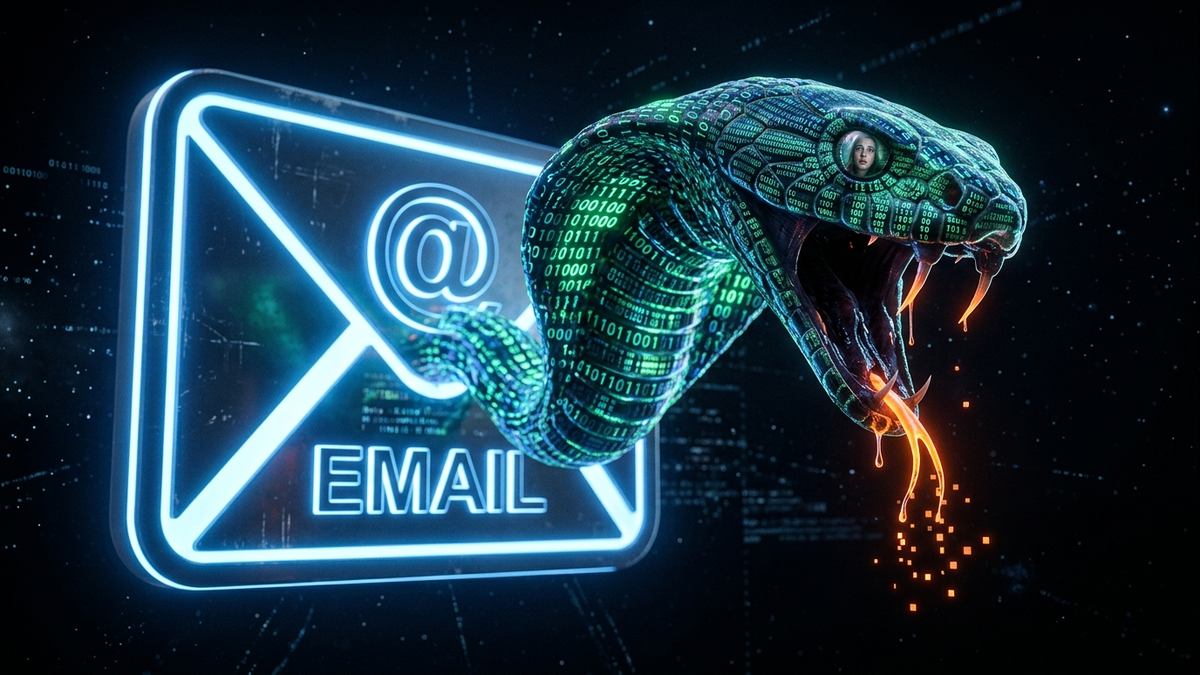
Generative AI Phishing: Why You Can No Longer Trust "Perfect" English Emails
Quick Answer (TL;DR)
- Generative AI has completely erased bad grammar and spelling as reliable red flags for phishing, allowing scammers to create flawless, professional-sounding emails instantly.
- Attackers now use AI to scrape public data and create hyper-personalized "spear phishing" attacks at a massive scale, making every employee a potential high-value target.
- Your new defense is no longer about spotting mistakes; it's about a zero-trust mindset and verifying any unusual request through a separate communication channel (like a phone call) before acting.
Introduction
Alright, let's have a frank talk. For the last 15 years, I've taught thousands of employees the same old song: "Look for bad grammar. Look for weird spelling. If it sounds like it was written by a poorly-paid robot, it's a scam." It was simple, it was effective, and it gave us a sense of control. I'm here to tell you that this advice is now not only outdated, it's dangerous. The game has been completely upended, and the tool that did it is Generative AI—the same tech behind things like ChatGPT.
The "Nigerian Prince" with his clunky sentences is dead. In his place is a perfectly articulate, context-aware, and psychologically manipulative phantom that can mimic your CEO's writing style, reference your latest project, and craft an email so convincing it would fool your own mother. We've gone from fighting clumsy pickpockets to battling master forgers who have an infinite supply of perfect counterfeit currency.
This guide isn't about scaring you. It's about re-wiring your brain. We need to unlearn our old habits and build a new, more cynical, and far more effective defense system. The era of trusting a "well-written" email is over. Welcome to the new front line.
Section 1: The "Nigerian Prince" is Dead: How AI Killed the Old Phishing Playbook
Remember the classic phishing email? The greeting was always "Dear Valued Customer," the grammar was a mess, and there was usually a bizarre spelling error in the company's name, like "PayePal" or "Microsofit." We laughed at these. We used them in training presentations as examples of what not to click. Those errors were our best friends; they were the tripwire that alerted us to danger. The reason for these mistakes was simple: most large-scale phishing campaigns were run by non-native English speakers using automated scripts. The bad English was a natural filter for them—it weeded out anyone savvy enough to notice, leaving only the most gullible targets.
Generative AI has burned that playbook to the ground. Models like GPT-4, Llama, and Claude are trained on literally billions of documents, books, professional articles, and websites. They are masters of language, nuance, and tone. Ask one to write an urgent email from a CFO about a wire transfer, and it won't just write it; it will ask you what tone to use—'assertive but professional,' 'friendly but firm,' or 'extremely urgent.' It can generate flawless, corporate-jargon-filled prose in less than a second. The tripwire is gone. In fact, it's been reversed. An email with absolutely perfect, polished English is now just as suspicious as one filled with errors.
Think of it this way: the old phishing emails were like a child's attempt to trace a dollar bill with a crayon. You could spot the forgery from a mile away. An AI-generated email is like a bill printed by a master forger using the same paper, the same ink, and the same printing plates as the U.S. Treasury. When you hold it in your hand, every instinct tells you it's real. The texture, the weight, the look—it's all perfect. This is the new reality of your inbox. Every email, no matter how professionally written, could be a perfect fake.
Section 2: "Spear Phishing" on Steroids: The New Era of Hyper-Personalization
Spear phishing has always been the elite form of email attack. Unlike the old "shotgun" approach of blasting a million generic emails, a spear phishing attack is a sniper rifle aimed at a specific person or small group. The attacker would do their homework, spending hours or days researching their target on LinkedIn, the company website, and social media to craft a believable, personalized message. It was effective but incredibly time-consuming, which meant only high-level executives or finance departments were usually targeted. It simply wasn't worth the effort for a low-level employee.
AI changes the economics of this entirely. What took a human hacker a week of manual research can now be automated by an AI in minutes. These systems can be pointed at a company's entire employee list on LinkedIn. In seconds, the AI can learn the corporate hierarchy, identify who reports to whom, find out what projects people are working on from press releases, and even scrape social media for personal details like a recent vacation or a new hobby. The AI then becomes a master storyteller, weaving these disparate facts into a devastatingly convincing narrative. It's not just an email; it's a weaponized story designed specifically for you.
Imagine receiving an email from your boss's boss that says, "Hi Sarah, hope you had a great time in Italy last week. I'm in back-to-back meetings and my phone is dying, but I need you to urgently process this attached invoice for 'Project Chimera,' which I saw you were a key part of in the last quarterly report. We need to get this paid before EOD to secure the vendor." Every single detail is correct. It knows your vacation, your project, and the corporate power dynamic. Your brain's natural response is to comply because the message is loaded with so many markers of legitimacy. This is no longer a one-off attack on the CEO; it's a tactic that can be deployed against every single person in your organization, simultaneously. AI makes every employee a potential high-value target because the cost of attacking them has dropped to zero.
💡 Expert IT Tip: Don't just trust your eyes; use tools to analyze suspicious links before you even think about clicking. Instead of hovering, right-click the link and copy the address. Paste it into a link-scanning service like urlscan.io or Google's Safe Browsing site status checker. These services will visit the website in a secure, isolated container and show you a screenshot of the page and a full report on what it tried to do (like redirect you, download malware, or present a fake login form). It's like sending a robot bomb-disposal unit to check a suspicious package for you.
Section 3: The Psychology of Deception: How AI Exploits Your Brain's Shortcuts
Cybersecurity isn't just about technology; it's about psychology. Hackers don't break through firewalls by guessing passwords; they trick people into giving them the keys. AI has become the ultimate tool for psychological manipulation because it understands how to exploit the mental shortcuts, or cognitive biases, that our brains use to make quick decisions. We are fundamentally wired to be tricked, and AI knows exactly which buttons to press. The three biggest ones are urgency, authority, and familiarity.
First, urgency. Our brains are designed to react quickly to threats and time-sensitive opportunities. When an email screams "URGENT: Action Required Immediately" or "FINAL NOTICE: Your Account Will Be Suspended," it triggers a fight-or-flight response. Our logical, slow-thinking brain gets bypassed, and our reactive, emotional brain takes over. AI can now craft scenarios that are not just urgent, but plausibly urgent. It won't just say "pay now"; it will create a detailed story about a failed server migration or a critical compliance deadline that aligns with your company's known activities, making the manufactured crisis feel incredibly real.
Humanize your text and bypass any AI detector instantly with Undetectable AI.
BYPASS AI DETECTION NOWSecond, authority. We are conditioned from birth to respect authority figures: parents, teachers, and bosses. An email that appears to come from your CEO or a government agency like the IRS immediately puts you on the back foot. Scammers have always known this, but their attempts were often clumsy. AI can now analyze the public writing style of your CEO—from shareholder letters to LinkedIn posts—and mimic it perfectly. It will use the same vocabulary, the same sentence structure, and the same sign-offs. When the email *sounds* exactly like your boss, your brain's authority-compliance module kicks in automatically, suppressing your natural skepticism.
Finally, there's familiarity. The perfect English and flawless formatting of an AI email make it feel familiar and safe. Our brains operate on a "what you see is all there is" basis. If an email looks, feels, and reads like every other legitimate corporate email you've ever received, your brain categorizes it as "safe" and lowers its guard. AI exploits this by creating a perfect "corporate camouflage." It uses the right logos, the right email signatures, and the right professional tone, lulling you into a false sense of security before it strikes with the malicious link or attachment. The AI isn't just fooling your eyes; it's hacking your brain's built-in threat detection system.
Section 4: Your New Defense Playbook: Verifying, Not Just Inspecting
The old playbook of "inspecting" an email for flaws is dead. You can't win a game that's rigged against you. The new playbook is built on a single, powerful principle: **assume every email is a potential threat and verify all requests out-of-band.** "Out-of-band" is the key phrase here. It means using a different communication channel to confirm the request. If you get an email, verify with a phone call or a text message. If you get a text, verify with an email to a known-good address. The goal is to break the attacker's control over the communication loop.
Here is your new, practical, step-by-step process for handling any email that asks you to do something—click a link, open a document, send money, or provide information:
- Stop and Breathe: The attacker's primary weapon is urgency. Your primary defense is to pause. A genuine urgent request can wait 60 seconds for you to think. A fake one relies on you not thinking at all.
- Question the Premise: Is this request normal? Does your CEO really email you directly to pay a vendor? Does IT really ask for your password via a link? If the request is unusual, your suspicion level should immediately go to 100, regardless of how well-written the email is.
- Verify Out-of-Band: This is non-negotiable for any request involving money or credentials. Got an email from your boss asking for a wire transfer? Don't reply to the email. Call them on their mobile number from your phone's contact list. Got a weird request from a colleague on Teams? Walk over to their desk or call them. Do not use any contact information provided in the suspicious email itself.
- Scrutinize the Sender: Don't just look at the display name ("John Smith"). Look at the actual email address it came from. Attackers will often use look-alike domains like `ceo@yourc0mpany.com` (with a zero) or `john.smith@yourcompany-support.com`. These are easy to miss if you're in a hurry.
- Go Directly to the Source: If an email asks you to log in to your bank, Microsoft 365, or any other service, never, ever click the link in the email. Open a new browser window and type the website address in manually. If there's a real notification, it will be waiting for you when you log in there.
💡 Expert IT Tip: For business owners and IT admins, the most powerful technical defense against email impersonation is implementing DMARC, DKIM, and SPF records for your domain. Think of these as a multi-layered verification system for email. SPF (Sender Policy Framework) is a list of servers authorized to send email for your domain. DKIM (DomainKeys Identified Mail) is like a digital signature that proves the email hasn't been tampered with. DMARC (Domain-based Message Authentication, Reporting & Conformance) is the policy that tells receiving email servers what to do with emails that fail SPF or DKIM checks (like reject them or send them to spam). Setting these up makes it exponentially harder for an attacker to successfully spoof an email from your domain.
Section 5: The Corporate Fortress: Tools and Training That Actually Work
Individual vigilance is critical, but it's not enough. You need to build a corporate fortress with layers of both technology and human training. Relying on one without the other is like locking your front door but leaving all the windows wide open. The modern defense strategy is about creating an environment where it's easy for employees to do the right thing and hard to do the wrong thing.
On the technology side, your standard email spam filter is no longer sufficient. You need an advanced email security gateway. Services like Microsoft Defender for Office 365 (with ATP plans), Proofpoint, or Mimecast are essential. These aren't just spam filters; they are sophisticated threat analysis platforms. They use "sandboxing" to detonate attachments and links in a safe, virtual environment to see what they do before they ever reach your inbox. They analyze email headers, sender reputation, and language patterns using their own AI to spot anomalies that a human would miss. This is the high-tech moat around your castle, catching the majority of automated and sophisticated attacks before your users even see them.
However, some attacks will always get through. That's where your human firewall comes in, and it needs a serious upgrade. Your annual, boring cybersecurity training is useless. People click through it to get the checkmark and forget it five minutes later. Training must be continuous, engaging, and based on behavior. Run frequent, unannounced phishing simulations using these new AI-generated templates. The goal isn't to shame people who fail; it's to create "muscle memory." When someone clicks, they should get immediate, non-punitive feedback explaining the red flags they missed. The most critical part of this is fostering a no-blame culture. You must make it clear that reporting a suspicious email—or even reporting that you accidentally clicked a bad link—is a sign of strength. If employees are afraid they'll be fired for making a mistake, they will hide it, and that's when a small breach turns into a catastrophe. Make the "Report Phishing" button in Outlook the biggest, most celebrated button in your company.
Conclusion
The simple truth is that the ground has shifted beneath our feet. The comfortable confidence we had in spotting a scam based on its sloppy presentation is a relic of a bygone era. Generative AI has democratized the tools of deception, giving even the most low-skilled attacker the ability to craft perfect, psychologically-tuned phishing emails. The war for your inbox is no longer about spotting a forgery; it's about questioning authenticity at its very core.
This requires a fundamental change in our mindset. We must move from a state of "trust by default" to "zero-trust." Every email, especially one that asks for action, must be treated with healthy paranoia. The polish and professionalism of a message are no longer signals of safety; they are simply table stakes in the new world of AI-powered attacks. Your new mantra is simple but powerful: Stop. Think. Verify.
Don't be the person who gets fooled by a perfect sentence. Be the person who picks up the phone. In this new era, a little bit of inconvenience is the best price you can pay for security.
Don't wait for the headlines. Our Private Telegram Channel delivers real-time AI security updates and digital wealth strategies before they go viral. Stay protected. Stay ahead.
⚡ JOIN THE 1% NOW🧰 Try Our Free Tools & Calculators
No sign-up required. Instantly check risks, analyze AI text, or calculate your digital finances.