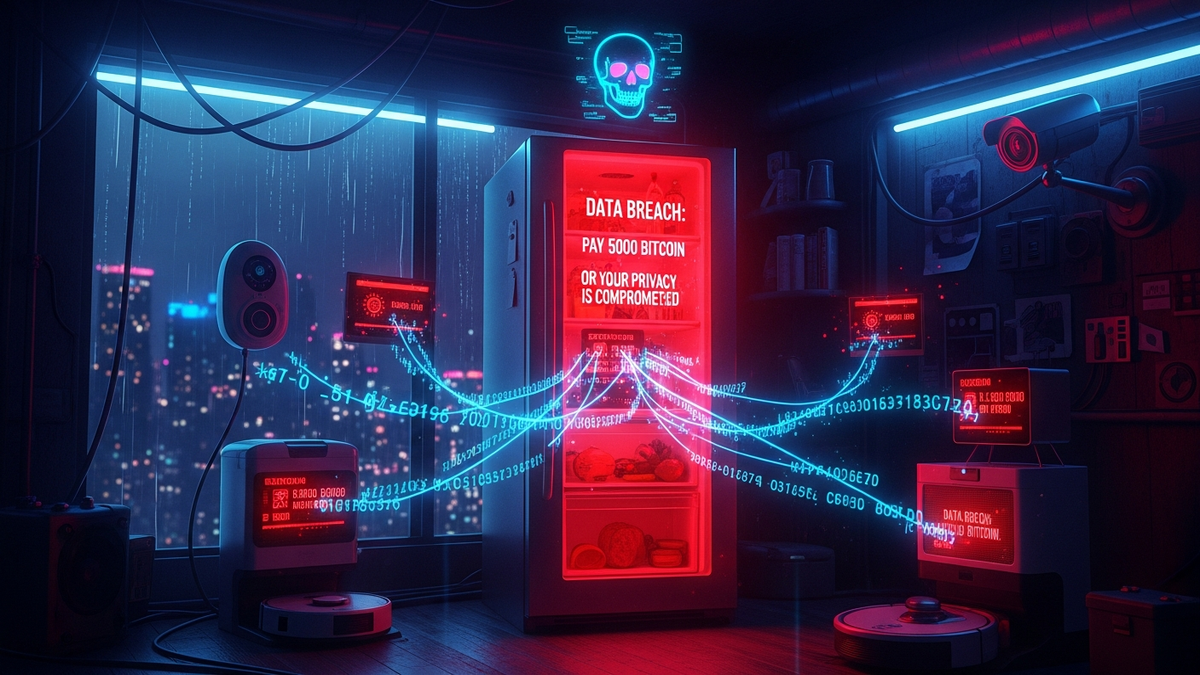
The Smart Home Ransomware Threat: Is Your Fridge Leaking Data?
Quick Answer (TL;DR)
- Secure your Wi-Fi router first. It is the single point of entry to your entire home network, and if it's compromised, everything else is too.
- Change every default password on every smart device you own. Attackers use automated bots that do nothing but scan for factory-set credentials like 'admin/password'.
- Isolate your smart devices on a separate "Guest" network. This simple step contains any potential breach, preventing a hacked smart bulb from accessing your personal laptop or phone.
Introduction
Picture this: It's 3 AM. Your smart speakers start blasting static at full volume. Your Philips Hue lights are strobing like a cheap disco, and the smart thermostat has cranked the heat to an unbearable 95 degrees. Then, a message pops up on your smart TV: "Your home is under our control. Send 0.1 Bitcoin to the address below, or we start broadcasting your security camera footage online." This isn't a scene from a bad sci-fi movie. This is the reality of smart home ransomware, and it's happening right now.
For 15 years, I've been in the trenches of IT security, cleaning up digital messes from corporate data centers to, now, suburban living rooms. The biggest lie the tech industry ever sold you is that "smart" means "secure." It doesn't. It means "connected," and every connection is a potential doorway for someone you don't want inside. Your convenience has become an attacker's greatest weapon. They are banking on you being too busy or too intimidated to lock your digital doors. This guide is here to change that. We're going to give you the keys, the deadbolts, and the alarm codes. Let's get to work.
What is Smart Home Ransomware, Really?
Let's get one thing straight. This isn't the same ransomware that locks up a hospital's patient files. Those attackers are after a multi-million-dollar payday. Smart home ransomware is a different beast—it's more personal, more invasive, and often executed by less sophisticated attackers looking for a quick, easy score. It’s less about encrypting your tax documents and more about making your physical environment hostile until you pay up.
The threat breaks down into two main categories. The first, and most common, is the "lock-out" or "annoyance" attack. The goal here is to seize control of the device's core function. Your smart lock refuses to open, trapping you outside your own home. Your garage door is locked shut, making you late for work. Your smart sprinklers are set to run 24/7, flooding your lawn and running up your water bill. The ransom demand is usually small—a few hundred dollars in cryptocurrency—because the attacker knows that for you, the price of convenience is high, and paying seems faster than trying to fix it.
The second, and far more sinister, category is "privacy-based" extortion. This is where the game gets ugly. Attackers gain access to devices that see and hear your life: security cameras, baby monitors, and smart speakers like Alexa or Google Home. They don't lock the device; they weaponize the data it collects. The threat is no longer about inconvenience; it's about humiliation and fear. They'll threaten to release recordings of private conversations, footage from your bedroom security camera, or logs of when you enter and leave your home. They are holding your privacy, not your hardware, for ransom. The psychological impact of this is devastating, and it’s a far more powerful motivator to pay than a malfunctioning thermostat.
Why is this exploding now? Because the market is flooded with cheap, insecure "Internet of Things" (IoT) devices from manufacturers who prioritize getting a product to market over implementing even the most basic security features. They use outdated software, hard-coded passwords, and unencrypted communication, all to save a few pennies per unit. They build a digital house of cards and then hand you the keys, and you have no idea it's one gust of wind away from collapsing. These devices are the low-hanging fruit for hackers of all skill levels, turning your home into a playground for digital extortionists.
The Weakest Links in Your Digital Castle
Every fortress has a weak point, and your smart home is no different. Attackers don't use magic; they use a crowbar on the door you left unlocked. In my experience, over 90% of home network breaches come down to one of a few fundamental, and entirely fixable, mistakes. Understanding these weak points is the first step to reinforcing them and kicking the bad guys out for good.
Your Wi-Fi router is the absolute weakest link. Think of it as the main gate, the watchtower, and the master key holder for your entire digital kingdom. Every single bit of data from every device—your work laptop, your kid's tablet, your smart fridge—flows through it. If an attacker compromises your router, they have achieved total network dominance. They can see what websites you visit, redirect you to fake banking pages, and attack every other device on your network from the inside, bypassing any firewall they might have. Yet most people use the default, easy-to-guess admin password it came with and never, ever update its firmware. This is the digital equivalent of leaving the front door of your house wide open with a neon sign that says "Rob Me."
Next up are default passwords on the devices themselves. Every smart camera, thermostat, or light bulb ships from the factory with a default username and password like "admin/admin" or "user/12345." Attackers know this. They operate massive networks of bots, called botnets, that do nothing 24/7 but scan the entire internet for devices responding with these default credentials. It is a completely automated attack. Not changing the password on a new smart device is like putting a house key under your doormat—the first place any burglar is going to look. It takes an attacker seconds, not hours, to find and exploit this.
Finally, we have the silent killer: outdated firmware. Firmware is the low-level software that makes the hardware work. When security researchers discover a flaw in a device—a bug that lets a hacker take control—the manufacturer releases a "patch" or "firmware update" to fix it. Here's the problem: most IoT devices don't automatically update, and most people don't even know they're supposed to. That smart TV you bought two years ago? It probably has a dozen publicly known, easily exploitable vulnerabilities that an attacker can use to get inside your network. Your failure to perform this basic maintenance is a gift to any hacker probing your network for an easy way in.
💡 Expert IT Tip: Before you buy any smart device, Google the brand name plus "End-of-Life policy" or "security update support period." Many cheap, no-name brands will sell you a device and then stop providing security patches after a single year. This means your device becomes permanently and dangerously vulnerable. Stick to reputable brands like Google, Amazon, Apple, or Philips that have a public commitment to long-term security support.
The Attacker's Playbook: How They Get In
Hackers aren't mystical wizards; they are methodical opportunists who follow a well-established playbook. They don't guess; they scan, test, and exploit known weaknesses. Understanding their process from start to finish demystifies the threat and shows you exactly where to build your defenses. The attack on your smart home isn't one single event, but a chain of calculated steps.
The first step is always reconnaissance. The attacker needs to find a target. They use specialized search engines like Shodan or Censys, which are like Google but for devices instead of websites. They can enter a search query for "Unsecured Security Camera Model X" or "Router Model Y with default password" and get a list of thousands of vulnerable IP addresses around the world in seconds. They aren't targeting you specifically; they're casting a massive, automated net, looking for anyone who has left a digital window open. Your home network is just another number on a list until you give them a reason to look closer.
Once they've identified your network as a potential target—perhaps because your router is an old model with known flaws—the breach attempt begins. The most common method is credential brute-forcing. An automated script will try to log into your router's remote administration page or an exposed smart camera feed using a list of thousands of common or default passwords. This is why a simple password like "Password123" is useless; it will be cracked in milliseconds. If that doesn't work, they move on to exploiting known vulnerabilities. They know you bought your router in 2019 and likely never updated its firmware. They consult a public database of vulnerabilities, find one that matches your router model, and use a pre-made exploit kit to execute the attack. It's a simple, copy-and-paste operation that requires very little skill.
After the initial breach, they establish persistence and pivot. This is the "takeover" phase. Once they're inside your router, they own your network's traffic. Their first move is often to change the router's DNS settings to point to their own malicious servers, allowing them to intercept your traffic or redirect you to phishing sites. From this privileged position inside your network, they then scan for other easy targets. They see your smart TV, your speakers, your thermostat. They test them for default passwords or other vulnerabilities, moving laterally from the router to compromise device after device. This is why network segmentation is so critical. Once they have control of the key devices, they deploy the ransomware payload—the lock-out code or the ransom note on your TV screen. The trap is now set, and they just have to wait for you to wake up.
Your Battle Plan: Hardening the Homefront
Enough with the scary stuff. It's time to fight back. Securing your smart home doesn't require a computer science degree. It requires diligence and following a checklist of fundamental security practices. Think of this as a digital home improvement project. You're not just adding new gadgets; you're reinforcing the foundation to make sure the entire structure is sound. We're going to lock the doors, bar the windows, and build a virtual moat.
Secure your digital wealth with the world's most trusted hardware wallets.
GET YOUR WALLET NOWYour first and most important task is to fortify your router. Log into its administration panel right now. First, change the default administrator password. It should not be "admin" or "password." Use a password manager to generate a long, random string of at least 16 characters and save it. Second, look for a setting called "Remote Administration," "WAN Management," or "Web Access from WAN" and disable it. This prevents anyone outside your home from even attempting to log into your router. Finally, check the manufacturer's website for the latest firmware and install it. Set a calendar reminder to check for new firmware every single month. This alone will protect you from the vast majority of automated attacks.
Next, you must implement network segmentation. This sounds complicated, but it's brutally effective and surprisingly simple. Nearly all modern routers have a "Guest Network" feature. Turn it on. Now, connect every single one of your IoT devices—your smart speakers, cameras, lights, thermostat, fridge, everything—to this guest network. Connect your trusted, personal devices like your main computer, work laptop, and smartphone to your primary, private Wi-Fi network. The guest network is isolated from your main network. It's like a digital demilitarized zone. If your smart toaster gets hacked, the attacker is trapped on the guest network and has no way to see or attack the laptop where you do your online banking. This one step contains a potential disaster and renders it a minor annoyance.
Finally, you need to enforce strict password discipline across the board. Every app and account associated with your smart devices needs a unique, strong password. Reusing the same password for your Philips Hue account and your email is asking for trouble. Use a reputable password manager like Bitwarden (which is open source and free) or 1Password to generate and store these for you. Furthermore, enable Two-Factor Authentication (2FA) on every single account that offers it, especially your Amazon, Google, or Apple accounts that often act as the central brain for your smart home. 2FA means that even if a hacker steals your password, they can't log in without a second code from your phone. It's like having a second deadbolt on your most important digital doors.
💡 Expert IT Tip: Dive into your router's settings and find a feature called Universal Plug and Play (UPnP). Disable it immediately. UPnP is designed for convenience; it allows devices like game consoles and smart cameras to automatically open holes (ports) in your firewall to communicate with the internet. While convenient, it's a massive security nightmare that attackers actively exploit to bypass your router's defenses. Manually configuring port forwarding for the rare device that truly needs it is far more secure than leaving this automated, insecure feature turned on.
Damage Control: What to Do When the Toaster Demands Bitcoin
Let's assume the worst has happened. Despite your best efforts, something got through. You're facing a ransom note on your TV or a device that's gone haywire. The absolute worst thing you can do right now is panic. The actions you take in the next 30 minutes will determine whether this is a catastrophe or a recoverable incident. You need a clear, step-by-step incident response plan.
Your first, immediate action is to isolate. You must stop the attack from spreading. Unplug the affected device from the wall. If you can't tell which device is the source, or if multiple devices are acting up, go straight to your router and unplug its power cord. This cuts off your entire home from the internet and stops the attacker's connection. It also prevents the malware from spreading further across your internal network. You need to stop the bleeding before you can treat the wound. Do not try to reason with the device or "fix it" while it's still connected to the network.
Now that the network is offline, you can safely assess the damage. Use a trusted computer that you know is clean (ideally one that was turned off during the incident) to begin your research. What exactly is the ransom demand? What devices are confirmed to be compromised? Take screenshots of any ransom notes with your phone for potential law enforcement reports later. The goal here is information gathering. Do not, under any circumstances, use a potentially compromised computer on your network to browse the web or log into any accounts. Assume every device that was on the network during the attack is infected until proven otherwise.
Here is the most important rule: DO NOT PAY THE RANSOM. I cannot stress this enough. Paying the ransom does not guarantee you will regain control of your devices. These are criminals; they have no honor. Paying them funds their future attacks on other innocent people. Worst of all, it puts a giant target on your back, marking you as a "willing payer" who they will almost certainly hit again in the future with a higher demand. It is a terrible, short-sighted decision with no upside. You have to accept that the data or control is gone and focus on recovery, not appeasement.
The only 100% guaranteed way to eradicate the infection is to "nuke and pave." This means performing a full factory reset on every single affected device, including your router. Use your phone's cellular data to look up the specific instructions for each model. This process will wipe the device's memory, deleting the malicious code and returning it to its out-of-the-box state. Yes, it is a massive pain. You will have to set everything up from scratch. But it is the only way to be absolutely certain the attacker's foothold is gone. Once everything is reset, you can begin the slow process of rebuilding your network, this time with the proper security controls—like guest networks and strong passwords—in place from the start.
Beyond the Basics: Advanced Defense for the Truly Paranoid (and Smart)
Once you've mastered the fundamentals—a secure router, network segmentation, and strong passwords—you can move on to more advanced, proactive defense strategies. These aren't strictly necessary for everyone, but if you're a tech enthusiast, work from home with sensitive data, or are just rightly paranoid, these steps will turn your home network from a secured house into a veritable fortress. This is how you go on the offensive.
One of the most powerful tools you can add to your arsenal is a network-wide DNS filter, and the best-in-class tool for this is Pi-hole. DNS, the Domain Name System, is the internet's phonebook; it translates human-readable names like "google.com" into computer-readable IP addresses. Pi-hole is a piece of free, open-source software you can run on a tiny, $35 Raspberry Pi computer. You configure your router to use the Pi-hole as its DNS server, and instantly, every device in your home is protected. If a compromised smart bulb tries to "phone home" to a known malicious command-and-control server, Pi-hole sees the request, knows it's bad, and blocks it dead in its tracks. The malware on the device is effectively neutered because it can't communicate with its master. As a fantastic bonus, it also blocks ads and trackers on every single device on your network, from your laptop to your smart TV.
For those who want ultimate control, consider replacing your router's stock firmware with a powerful open-source alternative like OpenWrt or DD-WRT. This is an advanced move and not for the faint of heart, as you can "brick" your router if you do it wrong. However, the benefits are immense. Stock firmware provided by manufacturers is often basic, buggy, and rarely updated. Open-source firmware is built by a global community of security-focused developers. It unlocks enterprise-grade features on your consumer-grade hardware, giving you granular control over firewall rules, VPN configurations, and network traffic monitoring. It allows you to build a network that is far more secure and powerful than anything you can buy off the shelf at a big-box store.
Finally, get into the habit of performing regular network audits. You can't protect what you can't see. Use a free mobile app like "Fing" to scan your Wi-Fi network once a week. It will give you a complete list of every single device currently connected, along with its IP address and manufacturer. Go through the list item by item. Do you recognize everything? If you see an "Unknown Device" or a neighbor's smartphone connected, you know you have a problem. This simple, two-minute weekly checkup can alert you to an unauthorized device on your network long before it has a chance to do any real damage, whether it's a neighbor stealing your Netflix bandwidth or something far more sinister.
Conclusion
The idea of your smart home turning against you is unsettling, but it should not be paralyzing. The threat is real, but it is also entirely manageable. The core problem isn't that smart technology is inherently evil; it's that it has been deployed carelessly, with a reckless focus on features over fundamentals. Security was an afterthought, and now we are all paying the technical debt for that convenience.
You don't need to throw out your smart assistant or replace your thermostat with an old analog dial. What you need is a shift in mindset. From now on, treat every new device you bring into your home not as a fun new toy, but as a potential new entry point into your life. Question its security, lock down its settings, and place it on a network segment where it can do the least amount of damage if it's ever compromised.
Security is not a product you can buy; it's a process you must follow. The fundamentals we've covered—securing your router, using a password manager, segmenting your network with the guest Wi-Fi, and keeping firmware updated—are not complex. They are simply digital hygiene. By being diligent and deliberate, you can build a smart home that is not only convenient and efficient but also resilient and secure. You have the playbook. You have the tools. Now go fortify your castle.
Don't wait for the headlines. Our Private Telegram Channel delivers real-time AI security updates and digital wealth strategies before they go viral. Stay protected. Stay ahead.
⚡ JOIN THE 1% NOW🧰 Try Our Free Tools & Calculators
No sign-up required. Instantly check risks, analyze AI text, or calculate your digital finances.