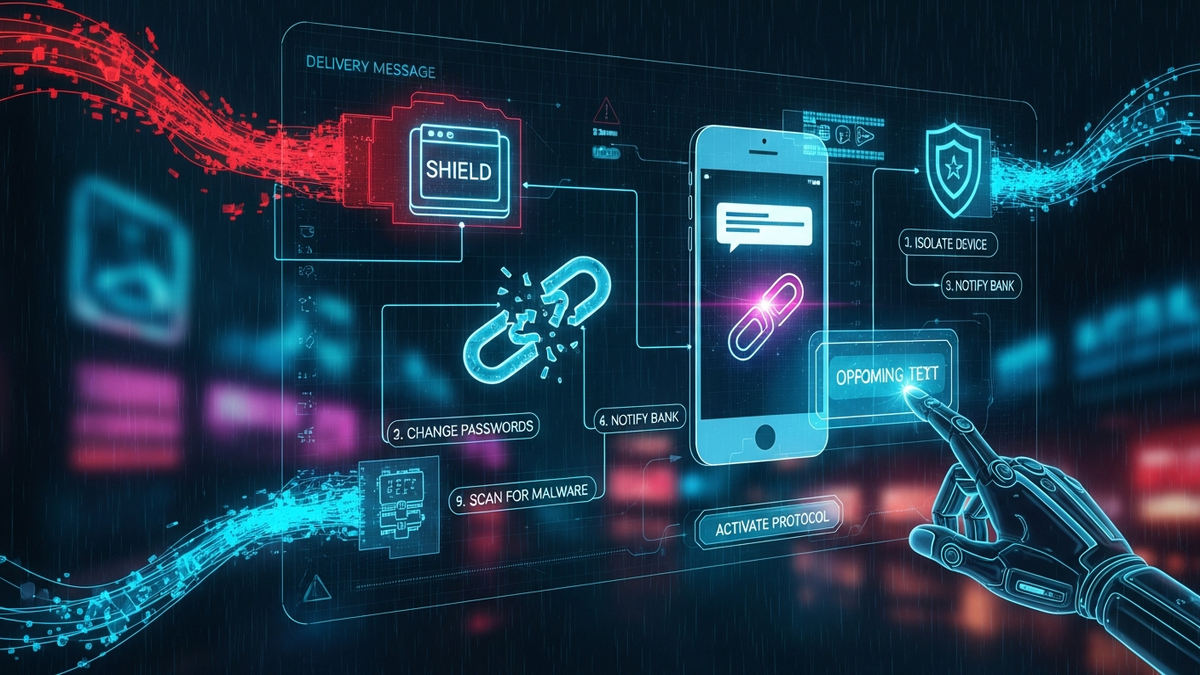
Clicked a Sketchy Delivery Link? Here's Your Battle Plan.
Quick Answer (TL;DR)
- Disconnect Immediately: Turn off your phone's Wi-Fi and Cellular Data right now. Do NOT turn the phone off. This cuts the attacker's connection to your device.
- Scan & Secure: From a separate, trusted device (like a laptop), change your primary email and banking passwords. Run a full, deep scan on your phone using a reputable security app like Malwarebytes.
- Lock Down Your Identity: Place a fraud alert or, even better, a security freeze on your credit with all three bureaus (Equifax, Experian, TransUnion). Scrutinize your bank statements for any suspicious activity.
Introduction
Okay, take a deep breath. You clicked the link. Your heart is probably hammering against your ribs, and your mind is racing. Let's get one thing straight: it happens. I've seen brilliant people, tech-savvy people, even other security pros fall for these scams. The attackers are sophisticated, they prey on our expectations, and a single moment of distraction is all they need. That text about a package delivery is a classic for a reason—it works.
So, forget the panic and the self-blame. That's not productive. Right now, we're shifting into emergency response mode. Think of me as your field commander, and this guide is your step-by-step battle plan. We're going to methodically contain the threat, purge any intruders from your device, lock down your digital life, and then build up your defenses so this never happens again. Every minute counts, so let's get to work.
Section 1: Step Zero - Damage Control & Triage (The First 60 Seconds)
What you do in the first minute after the click is more critical than anything else. This is triage. We need to stop the bleeding before we can perform surgery. The attacker's goal is to establish a foothold and either steal data directly or download more malicious software. Our immediate goal is to sever their connection and trap whatever they've done on the device, preventing it from getting worse.
Your first, reflexive action must be to disconnect your phone from all networks. Swipe down and hit the icons for Wi-Fi and Cellular Data to turn them off. Go into your settings and turn off Bluetooth as well. Think of it this way: if a burglar just broke into your house, you don't start by checking what they stole; you lock the doors so they can't carry anything out or let their friends in. By cutting off the internet, you're severing the malware's communication line to its command-and-control server. It can't send your data out, and it can't receive new instructions or download a more potent virus.
Now, a crucial point: do not turn off or restart your phone yet. This is a common mistake. It feels like a cleansing action, but it can be the worst thing you do. First, many types of malware are designed to live in the phone's active memory (RAM). Rebooting the phone flushes that memory, potentially erasing the primary evidence of the intrusion, making it harder for security software to find out what happened. Second, some sophisticated malware is programmed to "persist," meaning it digs into the system files. It might even use the shutdown or startup sequence as a trigger to embed itself even deeper into the operating system. For now, leave the phone on, but completely isolated from any network.
Finally, with the device isolated, take a moment to be a detective. What happened *exactly* after you clicked the link? Don't trust your memory—write it down if you have to. Did a website pop up and ask for a username and password for FedEx, your bank, or your Apple/Google account? That's a classic phishing attack, and your credentials are now compromised. Did a file immediately start downloading? That's a direct malware injection. Did your phone's calendar suddenly get filled with spam events? That's a calendar injection. Did the screen just flash and go back to normal? That could be a zero-click exploit or a stealthy script running in the background. Knowing the immediate outcome of the click helps us understand the attacker's primary objective and informs the next steps in our cleanup process.
Section 2: The Deep Clean - Purging the Intruder
With the device isolated, it's time to hunt for whatever the attacker left behind. This is the search-and-destroy phase. Simply deleting a downloaded file or closing a browser tab is not enough. You have to assume the initial payload was just a "dropper"—a small piece of code whose only job is to install something more sinister, like spyware that records your keystrokes or ransomware that encrypts your photos.
Your primary weapon here is a reputable mobile security application. For Android users, this is non-negotiable. Install a top-tier app like Malwarebytes, Bitdefender, or Sophos from the official Google Play Store. Don't cheap out on a free, ad-riddled app from an unknown developer; you're trying to solve a problem, not create a new one. Once installed, immediately update its virus definitions and run a full, deep scan. A "quick scan" is not sufficient. We need the app to check every file, every folder, and every application on your device. This will take time, so plug your phone in and let it work. If it finds anything, follow the quarantine and removal instructions to the letter.
For iPhone users, the situation is a bit different. Apple's iOS is a "sandboxed" environment, which is like having every app live in its own locked room with no key to the others. This makes traditional viruses very rare. However, it doesn't make you immune. The threat on an iPhone is less about a virus and more about a malicious profile being installed, a calendar being hijacked, or, most commonly, your credentials being phished. While dedicated "antivirus" apps on iOS are limited in what they can scan, security apps can still identify malicious profiles, check for known bad links in your browser history, and offer other security features. It's still a worthwhile step for peace of mind.
What if the scan comes back clean? Do not celebrate yet. A clean scan is good news, but it's not a get-out-of-jail-free card. The malware could be too new for the security app to recognize (a "zero-day" attack), or the attack's goal was never to install a file in the first place—it was to trick you into giving up your password on a fake website. This is why a clean scan doesn't mean the process is over. It just means we can move on to securing your accounts with a slightly higher degree of confidence that your device isn't actively spying on you. If your phone has been acting strangely at all—crashing, running hot, battery draining unusually fast—you must consider the "nuclear option": a full factory reset. This wipes the phone completely and reinstalls the operating system from scratch. It's the only 100% guaranteed way to eliminate persistent malware. Just be sure to back up your photos, contacts, and documents first, but do NOT restore from a full device backup, as you could re-introduce the malware. Set it up as a new device and reinstall your apps manually from the app store.
💡 Expert IT Tip: For Android users, if you suspect malware is interfering with your security app, reboot your phone into Safe Mode. On most phones, you do this by holding the power button, then long-pressing the "Power off" option on the screen until the "Reboot to Safe Mode" prompt appears. Safe Mode loads the phone with only the essential system apps, disabling third-party apps—including most malware. Running your Malwarebytes scan from Safe Mode can be incredibly effective at finding and removing malicious apps that would otherwise hide themselves during normal operation.
Section 3: Locking the Gates - Securing Your Digital Identity
If your phone was the castle, your accounts are the crown jewels inside. Cleaning the device was about kicking out the spies, but now we have to assume they ran off with copies of all your keys. Your immediate priority is to change the locks on every important door in your digital life. This step is not optional, and the order in which you do it is absolutely critical. You must perform these steps from a different, known-clean device like your laptop or a trusted family member's computer. If you change your passwords on the potentially compromised phone, you might just be typing your new password directly into a keylogger and handing it to the attacker.
The first lock you change is your primary email account. Think about it: your email is the master key. If an attacker controls your email, they can initiate a "forgot password" request for nearly every other service you use—your bank, your social media, your Amazon account—and lock you out of your own life. Go to your email provider's website, change the password to something long, complex, and unique, and then immediately log out all other active sessions through the security settings. This boots out anyone who might be lurking in your account.
Secure your digital wealth with the world's most trusted hardware wallets.
GET YOUR WALLET NOWOnce your email is secure, it's time for financial triage. Log into your online banking, credit card portals, PayPal, Venmo, or any other service that touches your money. Change those passwords next. After that, move on to any accounts that store credit card information, like Amazon, eBay, or food delivery apps. Then, secure your social media accounts and finally, any other lower-priority online accounts. Use a password manager (like Bitwarden or 1Password) to generate and store strong, unique passwords for every single site. If you're not using a password manager, you are doing it wrong. Period.
While you are changing your passwords, you must enable Multi-Factor Authentication (MFA or 2FA) on every single account that offers it. MFA is like needing your house key *and* a secret PIN code to open your front door. A password alone is no longer enough. The best form of MFA is an authenticator app like Google Authenticator, Microsoft Authenticator, or Authy. These apps generate a constantly rotating, time-sensitive code on your phone. This is far more secure than receiving a code via SMS text message. Why? Because criminals can perform a "SIM-swap" attack, where they trick your mobile carrier into transferring your phone number to a SIM card they control, allowing them to intercept your SMS codes. Using an app-based authenticator defeats this attack entirely. Make enabling MFA a non-negotiable part of this cleanup process.
Section 4: Financial & Credit Lockdown - Protecting Your Wallet
At this stage, you have to operate under the assumption that the attackers got everything. They may have your credit card number, your banking login, or enough personal information to try and impersonate you. Cleaning the phone and changing passwords was about stopping future theft; this section is about mitigating the damage from what they may have *already* stolen and preventing them from using it to ruin your financial life.
Your first calls should be to your financial institutions. Find the fraud department number on the back of your credit and debit cards and call them. Do not use a number from a Google search, as those can be spoofed. Tell the representative exactly what happened: you clicked a malicious link, and your phone and financial information may be compromised. They will place heightened security alerts on your accounts. For credit cards, it's often wisest to just report the card as compromised and have them issue you a new one with a new number. It's a minor inconvenience that provides total peace of mind.
Next, become a forensic accountant. Log into all of your financial accounts and review your transaction history for the last few days with a fine-toothed comb. Look for anything, and I mean *anything*, you don't recognize. Attackers often test stolen cards with very small "carding" transactions, like a $0.50 charge from an unknown online merchant, to see if the card is active before making large purchases. If you see a tiny, weird charge, it's a massive red flag. Report any unauthorized transaction to your bank immediately. Federal law limits your liability for fraudulent charges, but you have to report it promptly.
Now for the most powerful defensive move you can make: freezing your credit. This is different from a fraud alert. A fraud alert is just a note on your credit file that asks lenders to take extra steps to verify your identity. A credit freeze, on the other hand, is a complete lockdown. It prevents anyone, including you, from opening a new line of credit in your name. If an attacker has your Social Security Number and tries to open a credit card at Best Buy, the application will be instantly denied because the store can't pull your credit report. You must do this with all three major credit bureaus: Equifax, Experian, and TransUnion. Freezing and unfreezing your credit is free and can be done online in minutes. It is the single best way to prevent an identity thief from destroying your financial future. Leave it frozen indefinitely and only "thaw" it temporarily when you are actively applying for a loan or credit card yourself.
💡 Expert IT Tip: Go into your mobile banking and credit card apps right now and enable real-time transaction alerts for *all* transactions. Don't just set it for purchases over $50; set it to notify you for every single cent. You should get a push notification or text message the instant your card is used. This is the ultimate early warning system. The moment a fraudulent charge occurs, your phone will buzz, and you can call your bank to shut it down within seconds, not days or weeks later when you get your statement.
Section 5: The Aftermath - Reporting and Future-Proofing
Once you've contained the damage to your own devices and accounts, you have a responsibility to report the attack. This isn't about revenge; it's about providing data that helps authorities and tech companies track, disrupt, and shut down these criminal operations. You're a victim, but you're also now a witness. Forward the malicious text message to the number 7726 (which spells SPAM on a phone keypad). This reports the message to your cellular carrier, who can then block the number and analyze the attack pattern.
You should also file a report with the appropriate government body. In the United States, that's the Federal Trade Commission (FTC) at ReportFraud.ftc.gov. If the scam impersonated a specific company like Amazon, UPS, or your bank, go to that company's official website and look for their security or "report abuse" page. They have teams dedicated to taking down fraudulent sites that use their brand name. Providing them with the link you clicked and the number it came from helps them get the fake site shut down faster, protecting other potential victims.
Now for an awkward but necessary conversation: you need to inform your contacts. Sophisticated mobile malware can access your address book. The attackers may use your contact list to send the same malicious link to your friends, family, and colleagues. Even worse, they might send it *from your number*, making it look like a trusted recommendation. A quick, broadcast message on a messaging app or a social media post can prevent a lot of damage. Something simple like, "Heads up everyone, I clicked on a malicious package delivery link. If you receive any strange links from me, please delete them immediately," is all it takes. It might feel embarrassing, but it's the responsible thing to do.
Finally, let's turn this painful experience into a permanent security upgrade. Learn to spot the red flags of "smishing" (SMS phishing). Look for a sense of extreme urgency ("Your account will be suspended in 1 hour!"). Check for generic greetings like "Dear Customer" instead of your name. Scrutinize the link itself. Is it a strange domain? Is the brand name misspelled (e.g., "FedEX-tracking22.com")? Legitimate companies will almost never send you a link to log in or update your information from a text message. If you get a text from your bank, don't click the link. Open your browser, type the bank's official web address manually, and log in there. Treat every unsolicited link as hostile until proven otherwise. Keep your phone's operating system and all your apps updated, as these updates often contain critical security patches. This vigilance is your new normal.
Conclusion
Okay, you've been through the wringer. You've isolated your device, scanned for threats, changed your passwords, and locked down your credit. You've done everything a cybersecurity professional would do. The immediate crisis is over. It's a stressful, invasive, and frustrating experience, but you've met the threat head-on and followed a rigorous plan to reclaim your digital security.
Don't let this event make you paranoid, but do let it make you permanently more skeptical. Treat unsolicited texts and emails with a healthy dose of suspicion. That single click was a harsh lesson, but it's one that has now equipped you with the knowledge and experience to be a much harder target for criminals. You've reinforced your defenses, upgraded your security practices, and now understand the threat landscape in a way you didn't before. You're the administrator of your own digital life. Now, maintain your perimeter.
Don't wait for the headlines. Our Private Telegram Channel delivers real-time AI security updates and digital wealth strategies before they go viral. Stay protected. Stay ahead.
⚡ JOIN THE 1% NOW🧰 Try Our Free Tools & Calculators
No sign-up required. Instantly check risks, analyze AI text, or calculate your digital finances.