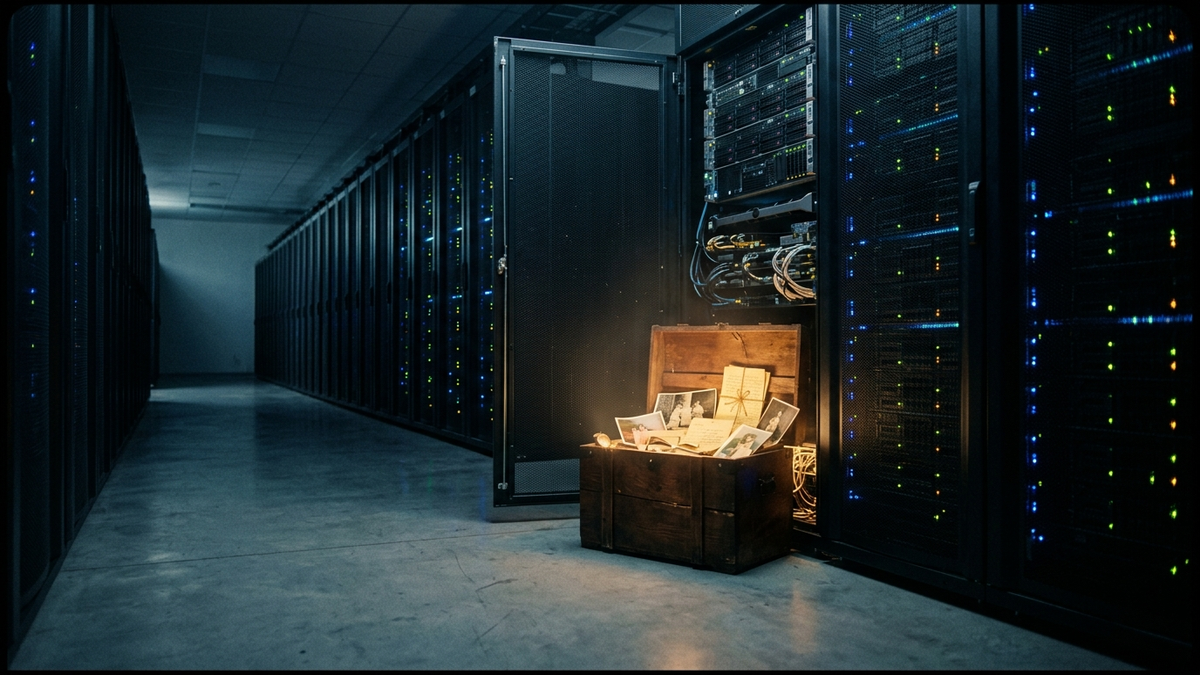
The Cloud is Just Someone Else’s Computer: Securing Your Digital Legacy
Quick Answer (TL;DR)
- The "Shared Responsibility Model" is key: Your cloud provider secures their infrastructure (the building), but you are always responsible for securing your data and access to it (locking your apartment door).
- Encryption is your last line of defense. Encrypt sensitive data *before* you upload it, so the cloud provider can't access it even if they're forced to.
- Enable Multi-Factor Authentication (MFA) on every single cloud account. It is the single most effective tool to prevent unauthorized access, stopping over 99% of account compromise attacks.
Introduction
Let's get one thing straight. "The Cloud" is the most successful marketing term of the last 20 years. It sounds ethereal, safe, and automatic. It's none of those things. The cloud is just a building full of servers—computers—owned by a company like Amazon, Google, or Microsoft. You're just renting space on their hard drives and processing time on their CPUs. That's it.
For 15 years, I've cleaned up the messes that happen when people forget this fundamental truth. They treat the cloud like a magic box that automatically protects their family photos, business documents, and private data. It doesn’t. Handing your data to a cloud provider is like handing a box of your most precious belongings to a storage company. They promise to keep the building secure, but they aren't responsible for who you give the key to, or whether you put your stuff in a flimsy cardboard box or a steel safe.
This guide is your steel safe. We're going to cut through the marketing fluff and get brutally practical. You are the CEO of your own data. It's time to start acting like it. Securing your digital legacy isn't about becoming a hacker; it's about practicing smart, digital hygiene so you don't become a victim.
Section 1: What 'The Cloud' Actually Is (And Why It Scares Me)
When you upload a file to Dropbox, Google Drive, or iCloud, it doesn't float up into the sky. It travels through undersea cables to a massive, windowless building called a data center. Inside, it's stored on a physical server rack, next to data from thousands of other people. The only thing separating your data from theirs is software. And software has bugs, misconfigurations, and vulnerabilities.
This reality is governed by something called the Shared Responsibility Model. Think of it like renting an apartment. The landlord (Amazon Web Services, Microsoft Azure, etc.) is responsible for the building's security: the main doors, the fire alarms, the foundation. This is "security *of* the cloud." But you, the tenant, are responsible for what happens inside your apartment: locking your own door, not leaving your windows open, and not giving your key to strangers. This is "security *in* the cloud." The biggest mistake people make is assuming the landlord is also watching their apartment door. They are not.
Let’s break down the main service types so you know exactly which "apartment" you're renting:
- SaaS (Software as a Service): You're renting a fully furnished apartment. Think Gmail, Salesforce, or Office 365. You control your data and who has access, but the provider manages everything else—the application, the servers, the updates. Your main job here is strong passwords, MFA, and proper sharing settings.
- PaaS (Platform as a Service): You're renting an unfurnished apartment. The provider gives you the walls, electricity, and plumbing (servers, operating systems, databases), but you bring your own furniture (your application code). This is for developers. You're responsible for securing your code and how it accesses data.
- IaaS (Infrastructure as a Service): You're renting an empty plot of land and building your own house. This is the most flexible and most dangerous. You rent raw computing power, storage, and networking. You are responsible for almost everything: patching the operating system, configuring the firewall, managing access. It's powerful, but one mistake can expose everything.
What scares me is the illusion of control. Your data is physically out of your hands. It sits on hardware you'll never see, managed by people you'll never meet, under legal jurisdictions you don't understand. If a government serves a warrant to your cloud provider, they will hand over your data. If a rogue employee at the data center gets access, your data is at risk. This loss of physical custody means our digital security measures have to be ten times better. You have to assume the building is compromised and focus on making your own apartment a fortress.
Section 2: Your First Line of Defense: Access Control That Actually Works
If your data is in a vault, access control is the door, the lock, and the guard checking IDs. Get this wrong, and nothing else matters. The most sophisticated encryption in the world is useless if someone can just log in as you and turn it off. Your identity is the new perimeter, and you need to defend it like one.
It all starts with passwords, and let's be honest, most people are terrible at them. Using "Password123" or your dog's name is like leaving your house key under the doormat. A modern hacking rig can guess an 8-character password with letters, numbers, and symbols in minutes. The only two things that matter for password strength are length and uniqueness. A 16+ character passphrase like "Correct-Horse-Battery-Staple" is infinitely stronger than "J@neD0e!". Since you can't remember a unique, long password for every site, you must use a password manager. Period. It's non-negotiable in 2024. Tools like Bitwarden (open source) or 1Password are excellent. They generate, store, and fill in complex passwords for you.
But even the best password can be stolen. That's where Multi-Factor Authentication (MFA) comes in. MFA is like needing two keys to open a door: something you know (your password) and something you have (a code from your phone). When a hacker in another country steals your password, they're stopped dead because they don't have your phone. This single action stops over 99.9% of automated account takeover attacks. Use an authenticator app like Google Authenticator, Microsoft Authenticator, or Authy. Avoid SMS-based MFA if you can; it's better than nothing, but it's vulnerable to SIM-swapping attacks.
Finally, embrace the Principle of Least Privilege. This is a simple but powerful concept: only grant the absolute minimum level of access needed for a person or service to do its job. A marketing intern doesn't need access to the company's financial records. An app that scans photos for cats doesn't need to read your emails. When you connect a third-party app to your Google or Microsoft account, review the permissions it asks for. If it seems excessive, deny it. This limits the blast radius if one of those accounts gets compromised.
💡 Expert IT Tip: For your most critical accounts (email, password manager, financials), upgrade from an authenticator app to a hardware security key like a YubiKey. This is a small USB device that you tap to approve a login. It's virtually un-phishable because the cryptographic secret never leaves the hardware device. A remote attacker simply cannot bypass it. It's the gold standard for personal security and what we use for our own system administrators.
Section 3: Encryption: Your Data's Last Stand
Think of encryption as a magic scrambler. It takes your readable data (a text file, a photo) and uses a secret key (a long string of random characters) to turn it into unreadable gibberish. The only way to turn it back into something readable is to use the exact same key. This is your data's last line of defense. If a hacker steals a hard drive from a data center, or an employee bypasses access controls, all they get is useless junk if the data is properly encrypted.
There are two critical states where your data must be encrypted:
- Encryption in Transit: This protects your data as it travels from your computer to the cloud server. This is what the "https" and the little lock icon in your browser's address bar represent. It prevents "man-in-the-middle" attacks where someone on the same Wi-Fi network (like at a coffee shop) tries to spy on your traffic. This is standard practice now, but never trust a site that asks for a login without it.
- Encryption at Rest: This protects your data while it's sitting on the cloud provider's hard drives. All major cloud providers (Google, Microsoft, Dropbox) do this by default. It's good, as it protects against the physical theft of a server. However, there's a huge catch: by default, *they manage the encryption key*. This means they have the technical ability to decrypt your data. They might do this to scan for content, serve you ads, or comply with a government order.
This is where the concept of Zero-Knowledge or Client-Side Encryption becomes paramount. This is the ultimate form of data privacy. It means you encrypt your files on your own computer *before* they are ever uploaded to the cloud. The cloud provider only ever stores the scrambled gibberish. They don't have the key, so they have zero knowledge of what you're storing. They cannot decrypt it, scan it, or hand it over to anyone in a readable format. You, and only you, hold the key.
This is not the default for most services. You need to use specific tools to achieve this. For cloud storage folders (like Dropbox or OneDrive), a tool like Cryptomator creates a virtual, encrypted "vault" inside your cloud folder. You drop files into the vault on your computer, and it encrypts them instantly before the sync client can upload them. For secure messaging, use an app like Signal, which uses end-to-end encryption (a form of client-side encryption). For notes, use a service like Standard Notes. The trade-off is responsibility: if you lose your encryption key or password for these services, no one can recover it for you. Your data is gone forever. But that's the price of true ownership.
Section 4: Backups Aren't Optional: The 3-2-1 Rule for the Cloud Age
I need you to read this next sentence twice. Cloud sync is not a backup. Dropbox, Google Drive, and OneDrive are synchronization services. Their job is to make the files on your computer match the files in the cloud. If you accidentally delete a file on your computer, it's instantly deleted from the cloud. If your computer gets hit with ransomware and all your files are encrypted, that encrypted garbage is what gets dutifully synced to the cloud, overwriting your good copies. Relying on a sync service as your only backup is one of the most common and devastating mistakes I see.
Secure your digital wealth with the world's most trusted hardware wallets.
GET YOUR WALLET NOWThe gold standard for data protection has always been the 3-2-1 Rule. It's simple and it works. You need:
- 3 copies of your data.
- On 2 different types of media (e.g., your computer's internal drive and an external hard drive).
- With 1 copy located off-site.
The cloud can be a fantastic off-site location, but it has to be the *right kind* of cloud service. You need a true backup service, not a sync service. The key difference is versioning. A real backup service keeps multiple historical versions of your files. If you get hit by ransomware on Tuesday, you can tell the service, "Restore my files to the state they were in on Monday." You can't do that with a basic sync tool. This is your get-out-of-jail-free card for data disasters.
So, how do you apply the 3-2-1 rule today? Here’s a practical setup:
Copy 1: The live data on your computer's primary hard drive.
Copy 2: A local backup to an external USB hard drive. Use the tools built into your OS (Time Machine on Mac, File History on Windows). Do this weekly.
Copy 3: An automated, versioned, and encrypted backup to a dedicated cloud backup provider. Services like Backblaze or iDrive are built for this. You install their software, and it runs in the background, continuously backing up your data to their secure, off-site servers. This is your "fire, flood, or theft" protection.
💡 Expert IT Tip: A backup you haven't tested is not a backup; it's a prayer. Once a quarter, perform a test restore. You don't have to restore your entire system. Just pick a few critical files from your local backup and your cloud backup and try to open them. Can you find them easily? Do they open correctly? This five-minute check can save you from discovering your backups have been silently failing for months right when you need them most.
Section 5: Monitoring and Auditing: Who's Knocking on Your Digital Door?
You’ve installed a strong lock (MFA) and put your valuables in a safe (encryption). Now you need a security camera. That's what monitoring and auditing are. You can't protect against threats you can't see. Most people just set up their cloud accounts and forget them, completely blind to the activity happening behind the scenes. This is a massive mistake. You need to know who is accessing your data, from where, and what they are doing with it.
Every major cloud service maintains audit logs. Think of these as the detailed security logbook for your account. It records every significant event: every login, every failed login attempt, every file upload, every change in sharing permissions. Your job is to actually look at these logs. You don't need to do it every day, but make it a monthly habit. Go to the security settings of your Google, Microsoft, or Apple account and review the recent activity. Look for anything that seems out of place:
- Logins from a city or country you've never been to.
- Login attempts at 3 AM when you were asleep.
- A new third-party application being granted access that you don't remember authorizing.
- Unexpected changes to security settings, like MFA being disabled.
Seeing a single failed login from a strange place isn't cause for panic; bots are constantly trying to guess passwords. But seeing a successful login from an unfamiliar location is a red-alert event. It means your password has been compromised, and you need to change it immediately and force a log-out on all devices.
Better yet, be proactive. Don't wait to pull the logs; have the logs come to you. Most services allow you to set up security alerts. You can configure the system to send you an email or a push notification automatically when a suspicious event occurs. For example, you can get an alert every time a login happens from a new device or a different country. This turns your passive logbook into an active alarm system. It's one of the most powerful and underutilized features available. For a business, this is even more critical. Services like AWS CloudTrail or Azure Monitor are designed to provide deep visibility into everything happening in your environment.
This vigilance helps you catch active threats and also ensures your own security posture doesn't weaken over time. It's easy to create a temporary, overly permissive sharing link for a file and then forget to disable it. Regularly auditing your sharing settings helps you find and close these open doors before someone else does.
Section 6: Choosing Your Landlord: How to Vet a Cloud Provider
All of your personal security efforts can be undermined if you choose a shoddy cloud provider. Remember, you are entrusting them with your digital legacy. You wouldn't rent an apartment in a building with a history of break-ins and a negligent landlord, so don't do it with your data. Vetting your provider is a critical, upfront step that most people skip. They just go with the most popular or cheapest option without a second thought.
First, look for proof of their security practices. Don't just trust their marketing copy. Look for independent, third-party compliance certifications. These are audits where an outside firm comes in and rigorously tests the provider's security controls against a known standard. Key certifications to look for are SOC 2 Type II, ISO/IEC 27001, and for healthcare data, HIPAA. A provider that has gone through the expense and effort to get these certifications is taking security seriously.
Next, you have to do the boring part: read the Terms of Service (ToS) and Privacy Policy. I know, it's terrible, but you're looking for a few specific things. Search for clauses related to "data ownership," "intellectual property," and "government requests." You want to see clear language stating that you retain full ownership of the data you upload. Be wary of any provider that claims a license to use or modify your content. Also, check their policy on responding to law enforcement. A good provider will have a transparency report that details how many requests they receive and how they respond.
Consider data residency. Where in the world will your data physically be stored? For personal users, this might not seem important, but it determines which country's laws govern your data. If you're a European citizen, GDPR gives you strong rights, but only if your data is stored within the EU. Some providers, like Tresorit or pCloud, allow you to choose your data's storage region. This can be a crucial factor for legal and privacy reasons.
Finally, investigate their track record and support. Has the company had major, public security breaches in the past? If so, how did they handle it? Were they transparent and quick to communicate, or did they try to hide it? A company's response to a crisis tells you everything about its culture. And what about support? When something goes wrong, can you reach a knowledgeable human being, or are you stuck with a useless chatbot? Before committing significant data to a service, try contacting their support with a pre-sales question. Their response time and quality will be very telling.
Conclusion
The cloud isn't magic. It's a tool. And like any powerful tool, it can be incredibly useful when handled with skill and respect, or incredibly dangerous when used with ignorance. The convenience it offers comes at the cost of direct control, and that cost must be paid with increased vigilance. You are the admin of your life's data.
Don't let the scale of this feel overwhelming. You don't have to do everything at once. The goal is to be more secure tomorrow than you are today. Start with the biggest impact: go enable MFA on your primary email account right now. Then, install a password manager this weekend. Next week, set up a real backup service. Each step makes you a harder target, and in the world of cybersecurity, you don't have to outrun the bear; you just have to outrun the other guy.
By treating the cloud for what it is—someone else's computer—you shift your mindset from a passive consumer to an active guardian. That is the only way to truly secure your digital legacy.
Don't wait for the headlines. Our Private Telegram Channel delivers real-time AI security updates and digital wealth strategies before they go viral. Stay protected. Stay ahead.
⚡ JOIN THE 1% NOW🧰 Try Our Free Tools & Calculators
No sign-up required. Instantly check risks, analyze AI text, or calculate your digital finances.